
 ShipTanStarter Docs
Notifications
Learn how to set up and use notifications in ShipTanStarter
ShipTanStarter supports sending notifications when users successfully complete a payment. This allows your team to receive real-time order alerts in their tools. Currently Discord and Feishu are supported as notification channels. You can add more channels by implementing the NotificationProvider interface.
Setup
Enable Notification Channel
Configure the notification provider in src/config/website.ts:
export const websiteConfig: WebsiteConfig = {
  // ...other config
  notification: {
    enable: true,
    provider: 'discord', // or 'feishu'
  },
  // ...other config
}
Configure Webhook URL
Based on the notification channel you selected, configure the corresponding Webhook URL:
Go to your Discord server and open the channel where you want to receive notifications
Click the gear icon to open Channel Settings
Select Integrations > Webhooks > New Webhook
Set a name and avatar for the webhook (optional)
Copy the Webhook URL and add it to your .env file:
DISCORD_WEBHOOK_URL="https://discord.com/api/webhooks/..."Go to your Feishu group chat
Click the group name > Group Settings > Bot Management
Add a new Custom Bot and enable Webhooks
Copy the generated Webhook URL and add it to your .env file:
FEISHU_WEBHOOK_URL="https://open.feishu.cn/open-apis/bot/v2/hook/..."If you are setting up your environment, you can now go back to the Environment Configuration and continue. The rest of this document can be read later.
Notification Message Examples
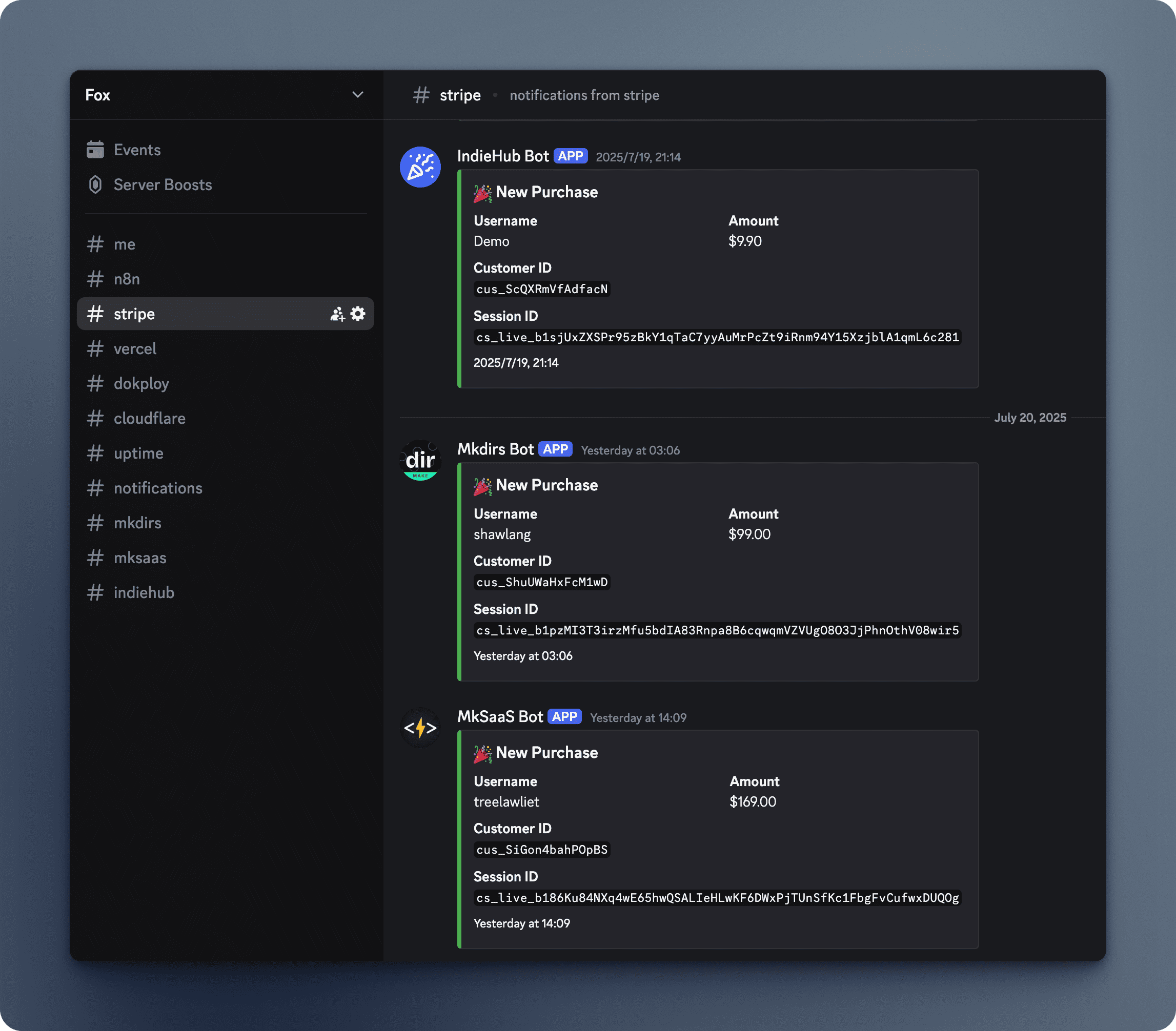
Discord notifications are sent as messages with green color and structured fields for easy reading.
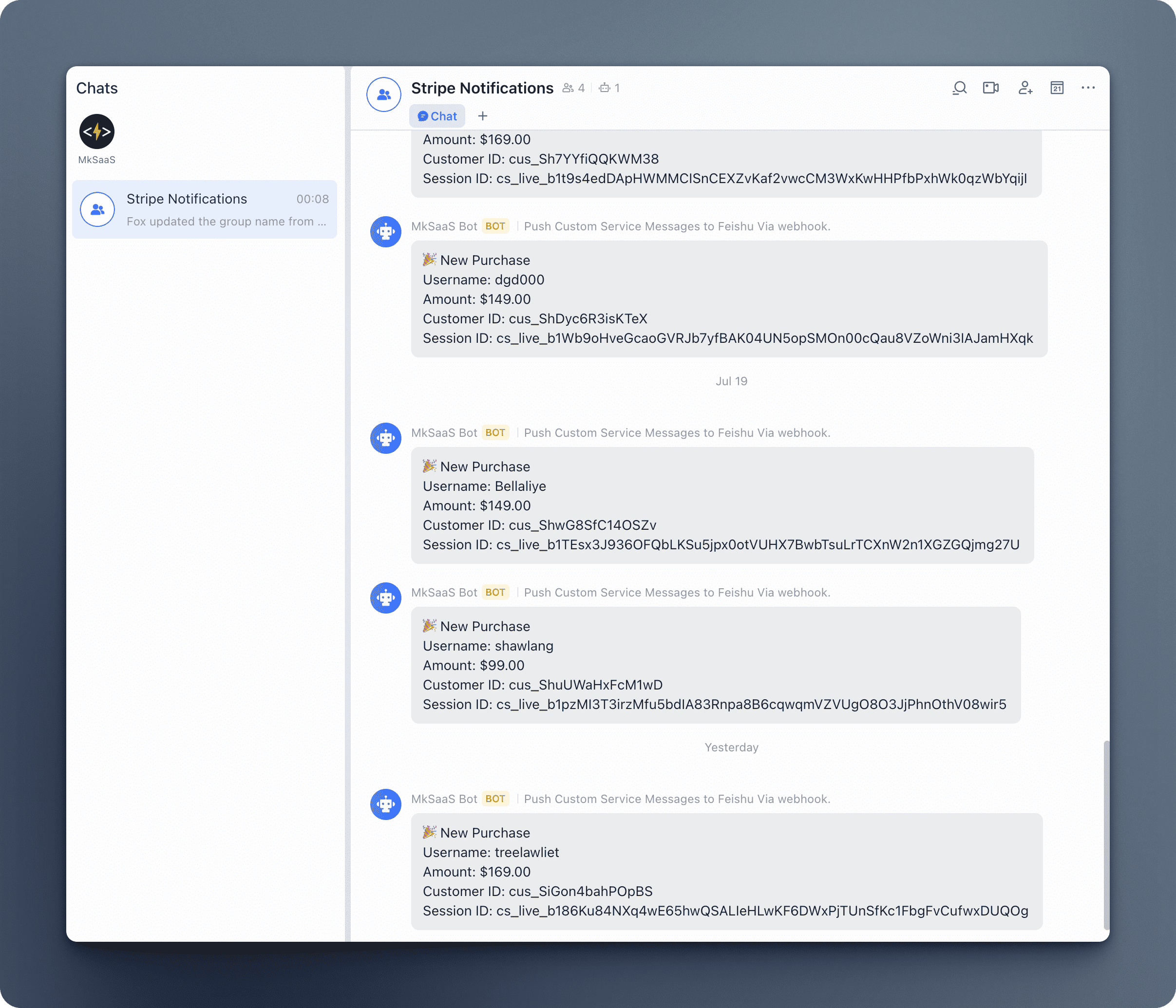
Feishu notifications are sent as plain text messages with all purchase information clearly displayed.
Extending New Notification Channels
ShipTanStarter supports extending with new notification channels:
-
Create a new file in the
src/notification/providerdirectory (e.g.,slack.ts). -
Implement the
NotificationProviderinterface:
import type {
  NotificationProvider,
  SendPaymentNotificationParams,
} from '../types';

export class SlackProvider implements NotificationProvider {
  private webhookUrl: string;

  constructor() {
    const webhookUrl = process.env.SLACK_WEBHOOK_URL;
    if (!webhookUrl) throw new Error('SLACK_WEBHOOK_URL is required.');
    this.webhookUrl = webhookUrl;
  }

  getProviderName(): string {
    return 'slack';
  }

  async sendPaymentNotification(
    params: SendPaymentNotificationParams
  ): Promise<void> {
    const { sessionId, customerId, userName, amount } = params;
    try {
      // Your Slack message implementation
      await fetch(this.webhookUrl, {
        method: 'POST',
        headers: { 'Content-Type': 'application/json' },
        body: JSON.stringify({
          text: `🎉 New Purchase\nUsername: ${userName}\nAmount: $${amount.toFixed(2)}`,
        }),
      });
    } catch (error) {
      console.error('Failed to send Slack notification:', error);
    }
  }
}- Register the new provider in the
providerRegistryinindex.ts:
import { SlackProvider } from './provider/slack';

const providerRegistry: Record<NotificationProviderName, ProviderFactory> = {
  discord: () => new DiscordProvider(),
  feishu: () => new FeishuProvider(),
  slack: () => new SlackProvider(),
};- Select the new provider in
websiteConfig:
notification: {
  enable: true,
  provider: 'slack',
},
References
Next Steps
Now that you understand how to use notifications in ShipTanStarter, you might want to explore these related features: